Installation
Windows
Requirements
OS: Windows Vista/7/8/10/11
CPU Architecture: AMD 64-bit
Minimal Disk Space: 243.1 MB
Where can I find my Windows system information?
For Windows users, we suggest one download latest executable installer from here.
Please follow the wizard to complete the installation, then the GMM Demux program is expected to be installed on your Windows PC. For further steps, please check Usage.
Storage location
All source files and log files are installed in %LOCALAPPDATA%\Programs\GMM-Demux (or the custom path user chose) on Windows. Temp files are stored in %LOCALAPPDATA%\Temp\.gmm-demux. Windows will not automatically clean the temporary files, so all plots will be saved under the temp path.
Uninstall
To uninstall GMM Demux, you may go to Settings -> Apps, search for GMM Demux and click uninstall. All files except logs and temp files will be cleaned.
Alternatively, you may open Control Panel -> Programs -> Uninstall a program, find GMM Demux and right click to Uninstall.
Linux
For Linux users, one have to build the environments using Pypi.
Download the source code from Github releases or clone the code from the newest master branch, unzip the files and run
cd <GMM-Demux dir>
pip install -r requirements.txt
python main.py
Command line tool
This is for advanced users only and support is not gauranteed.
Install GMM-Demux from PyPi
pip3 install --user GMM_Demux
In some OS, the pip3 is linked to pip by default. For these OS, the installation command is simply:
pip install --user GMM_Demux
Check if pip3 is linked to pip with pip -V.
If one chooses to install GMM-Demux from PyPi, it is unnecessary to download GMM-Demux from github. However, we still recommend downloading the example dataset to try out GMM-Demux.
Install GMM-Demux locally using setuptools and pip3
You may choose to install GMM-Demux locally after cloning the github repository.
The command is provided below:
cd <GMM-Demux dir>
python3 setup.py sdist bdist_wheel
pip3 install --user .
Post installation processes
If this is the first time you install a python3 software through pip, make sure you add the pip binary folder to your PATH variable.
Typically, the pip binary folder is located at ~/.local/bin.
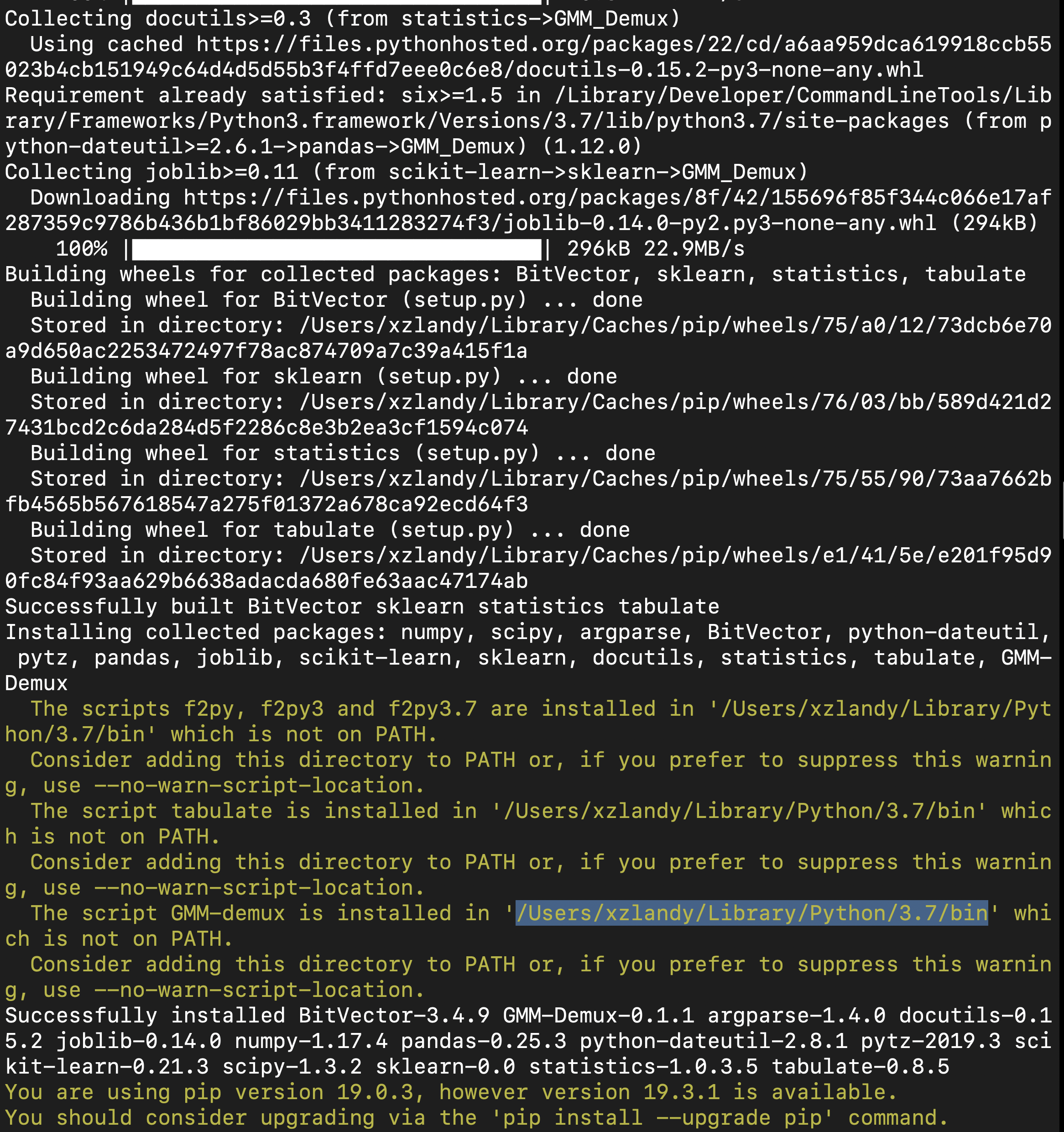
The pip binary folder might locate at a different location if the user uses virtual enviroment. Pay attention to the pip installation output.
Here is an example installation output. The path of the pip binary folder is highlighted:
To temporarily add the pip binary folder, run the following command:
export PATH=~/.local/bin:$PATH
To permenantly add the pip library folder to your PATH variable, append the following line to your .bashrc file (assuming bash is the default shell).
PATH=~/.local/bin:$PATH